Your list in.Today’s route out.
Today’s Route turns the spreadsheet your office already has into each day’s stops, lets your rep log every visit in three taps, and emails you what happened.
Start freeSee how it worksTuesday
- Client A · Framing contractor
- Construction site · Elm St townhomes
- Client B · Roofing company
- New lead · Commercial build, Route 9
Your rep is out there. Then what?
Addresses you can’t map
Half the list has a missing or wrong zip code, so nobody can plan around it.
No plan for the day
Your rep decides where to go from memory, and the same easy accounts get all the visits.
No idea what happened
You find out who was visited when you ask. If you remember to ask.
Three steps. The first one is an upload.
01
Upload your list
Any spreadsheet. We fix the addresses and zip codes, and flag the few we can’t.
02
Your rep drives the route
Each morning the app picks the stops, puts them in order and opens directions.
03
You get the day by email
Every stop, what happened, and who to call back.
- 1Able Framing
- 2Elm St Homes
- 3Ridge Roofing
Your columns never match ours. That’s fine. “Cust”, “Last Inv Amt”, “Addr 2” are matched on their own, and anything we’re not sure about is shown to you before it’s saved.
Built for the driver’s seat
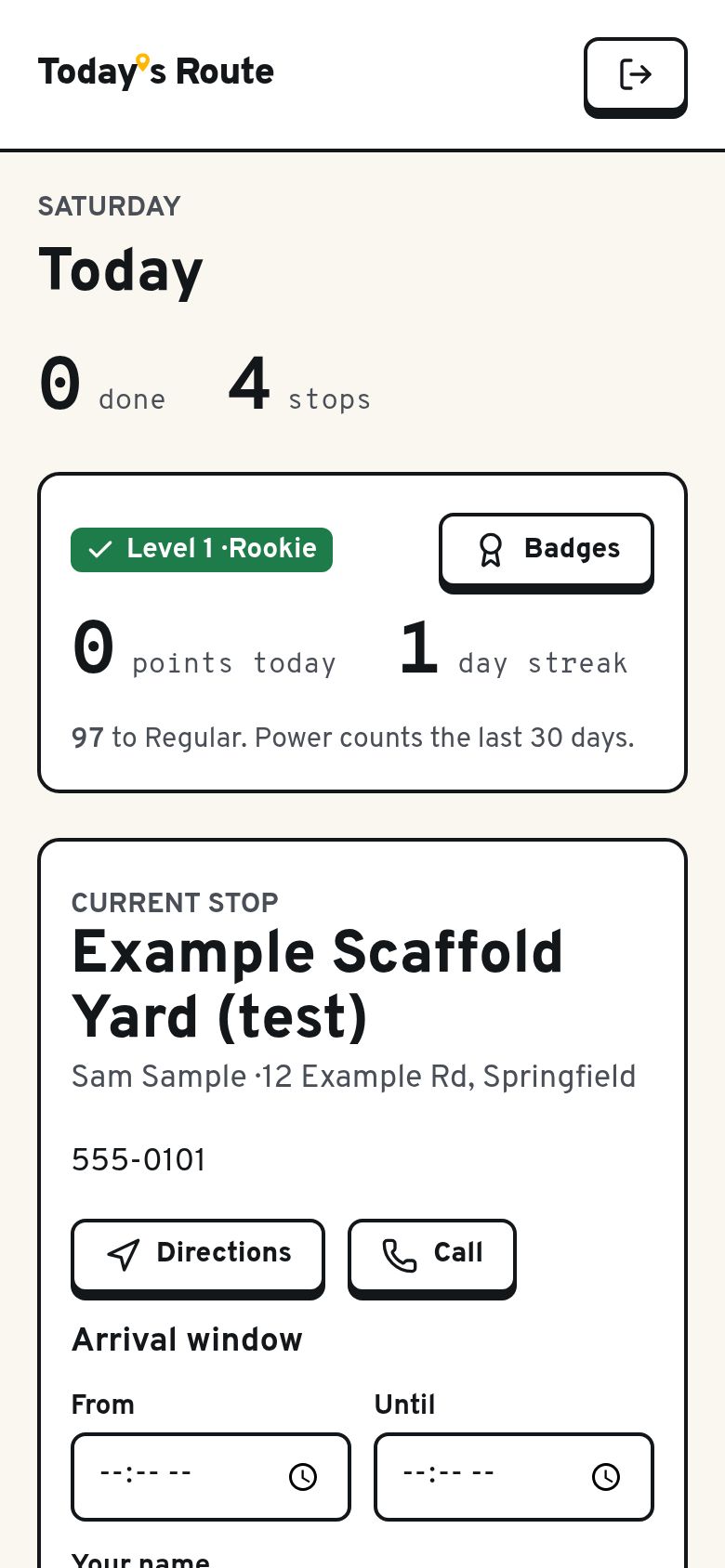
One stop at a time. Big buttons. No typing.
Know where to go
Follow-ups due today come first, then the accounts that have waited longest.
Log it in three taps
Who you reached, what happened, when to check back. The stop clears and the next one appears.
Send the follow-up
A ready-written email that matches what happened. Copy it or open it in your mail app.
Add what you find
Spotted a new site? Add it in seconds, with the address filled in from your phone.
Text before you arrive
“Hi, it’s Sam from Able Scaffold. I’ll swing by between 10:00 and 10:30.” One tap opens it in their messages, ready to send.
Push it to later
Site’s locked up? Move the stop to the end of today or another day. It comes back on its own.
Your spreadsheet stays yours
No CRM to buy. Nothing to migrate.
Upload as often as you like
New rows are added. Your rep’s notes and visit history are never overwritten.
Closed means closed
A site marked closed or gone stays off the route, even if it shows up in your next upload.
Take it all back out
Export everything the field learned, matched to your own record numbers.
See who is being missed
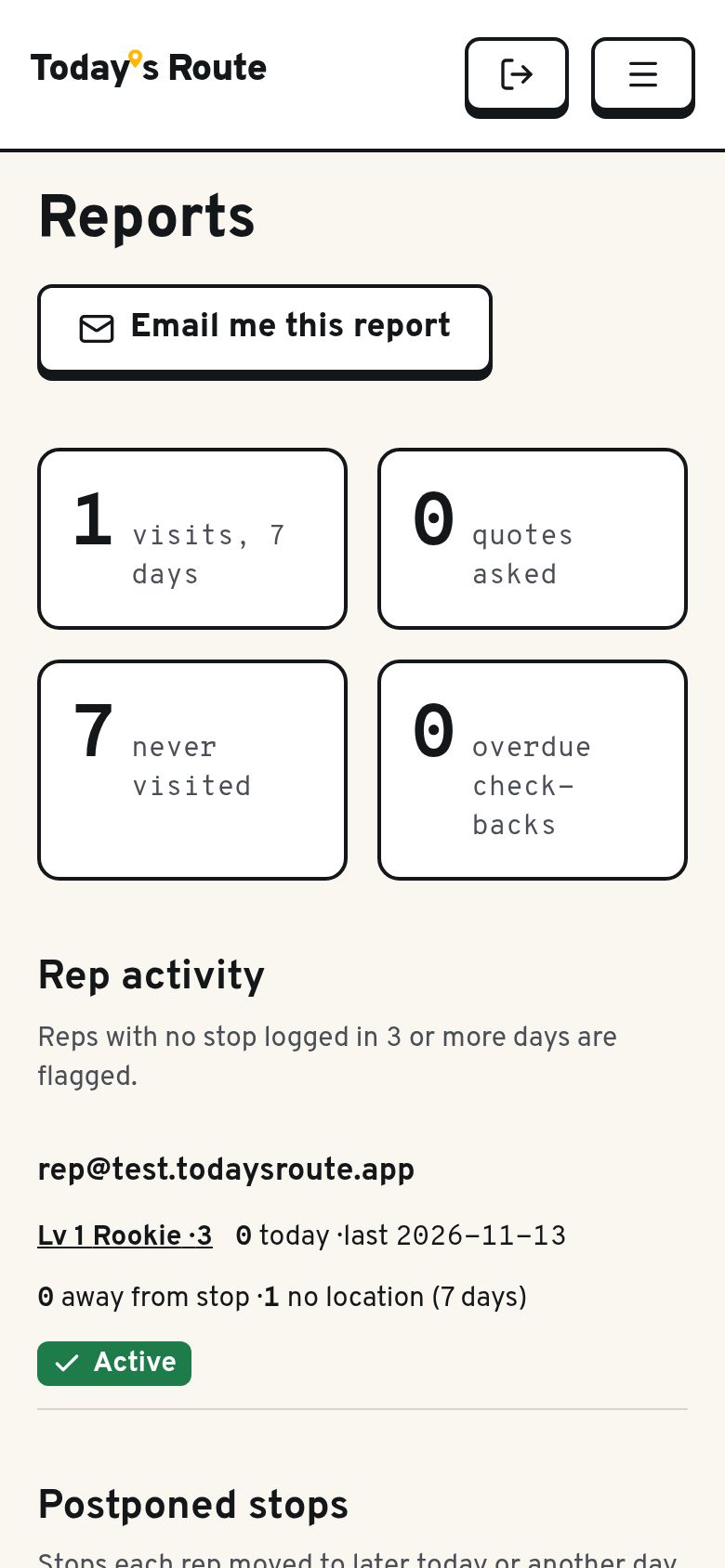
Stops per day against your target, accounts nobody has visited, follow-ups that are overdue.
You set the rules. The route follows.
Decide who gets visited first: the customers you haven’t sold to in longest, the oldest accounts, or the biggest spenders. Check-backs that are due always come first. Change it any day without touching a single stop.
Addresses checked against Google Maps before they reach a route.
Driving order worked out from the rep’s start to finish.
Accounts going nowhere: visited three times and never reached the person who decides. You see the list.
Reps keep score
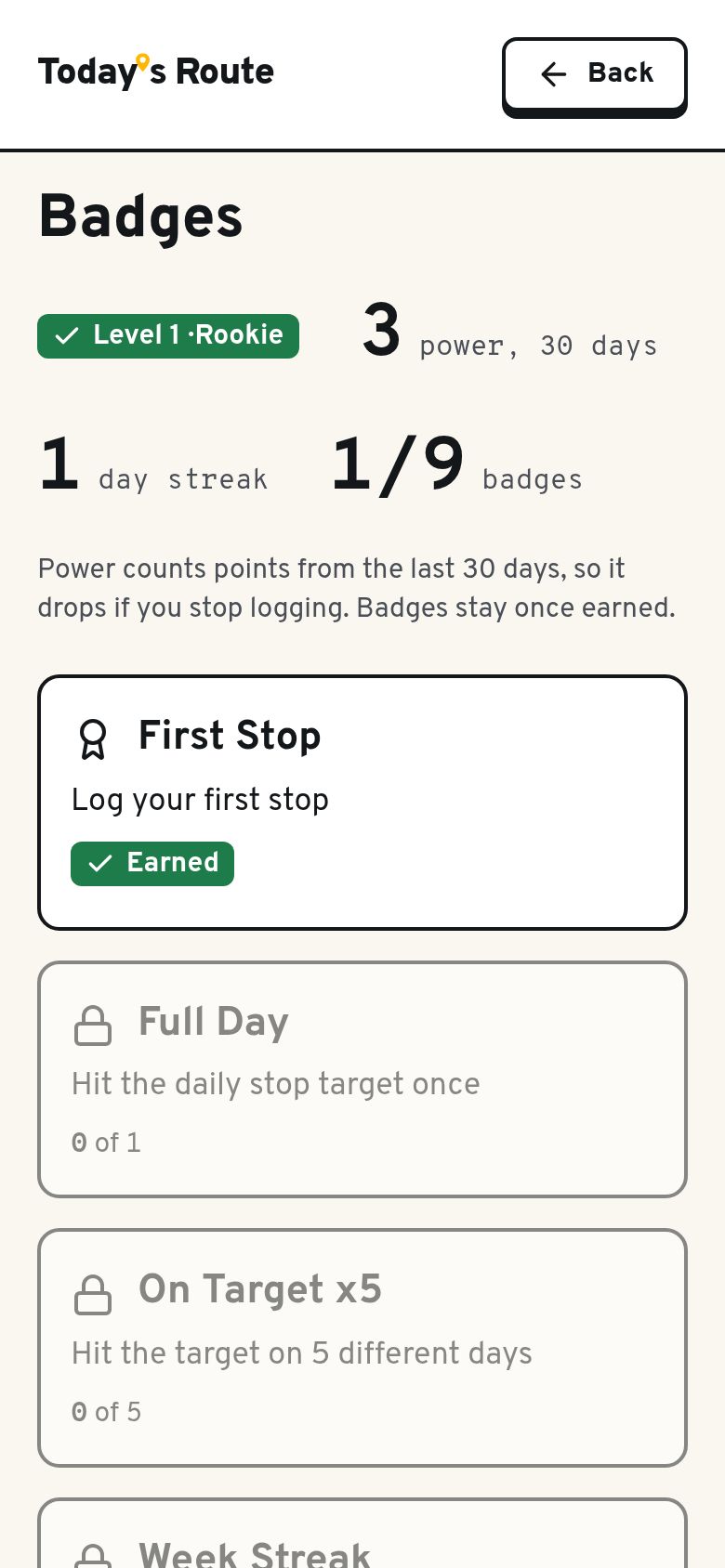
Every logged stop builds a rep’s power. It fades if they stop logging, so it shows who is out there this month, not last year. Badges for streaks, quotes and check-backs stay for good, and the locked ones show what to go after next.
Know what happened without asking
A summary lands in your inbox at the end of every day: each stop, who your rep spoke to, and what comes next. Every visit carries a time and a location check-in, so you can see which visits were logged at the stop. When a customer asks for a quote, you hear about it straight away.
New projects on the way to the next stop
If you sell to job sites, Today’s Route can show recently permitted construction near the day’s route. One tap adds it as a stop. Available where permit data is available.
Your words, your territories, your logo
Name the outcomes the way your team says them. Write the follow-up emails in your voice. Set your own daily target. Your data is kept separate from every other company’s.
Simple pricing. Only pay for reps on the road.
Save $30 per rep, every month, for as long as you stay.
Locked in for as long as you stay. Only for the first 25 companies, then it's $49.
Claim a founding spotOwners and office staff are free. No minimum. Up to 10,000 contacts.
Pay yearly and get two months free, plus Launch Day: we import and clean your list, set up your areas, invite your reps and train them on a 30-minute call. On monthly it’s $149 once.
Questions
What if our addresses are incomplete?
That is where we start. Upload what you have. We correct addresses and zip codes automatically and give you a short list of the ones that need a look.
Does it replace our CRM or accounting system?
No. You upload your list and export what the field learned. Your own system stays the record.
Will a new upload overwrite our rep’s notes?
No. Uploads only refresh the office’s own columns, and sites already marked closed or gone are skipped.
How much does the rep have to type?
Nothing. A visit is three taps: who they reached, what happened, when to check back.
Does it need an app-store download?
No. It runs in the phone’s browser and can be added to the home screen. It works on iPhone and Android.
Do you track reps all day?
No. Time and location are recorded as a check-in at each stop. There is no continuous tracking.
Is our data separate from other companies?
Yes. Each company’s data is kept isolated.
Can it find new construction projects near the route?
Yes, as an optional add-on where permit data is available.
How is it priced?
$49 per rep per month. Owners and office staff are free. You only pay for people who run routes, and you can add or remove them any time.
I’m the owner and I also do the visits. Do I pay?
Yes, for one seat. Anyone who runs routes needs a seat, whatever their title.
See your own list as a route.
Start a free trial and upload it yourself, or book a demo and we’ll have a real day planned when you join.